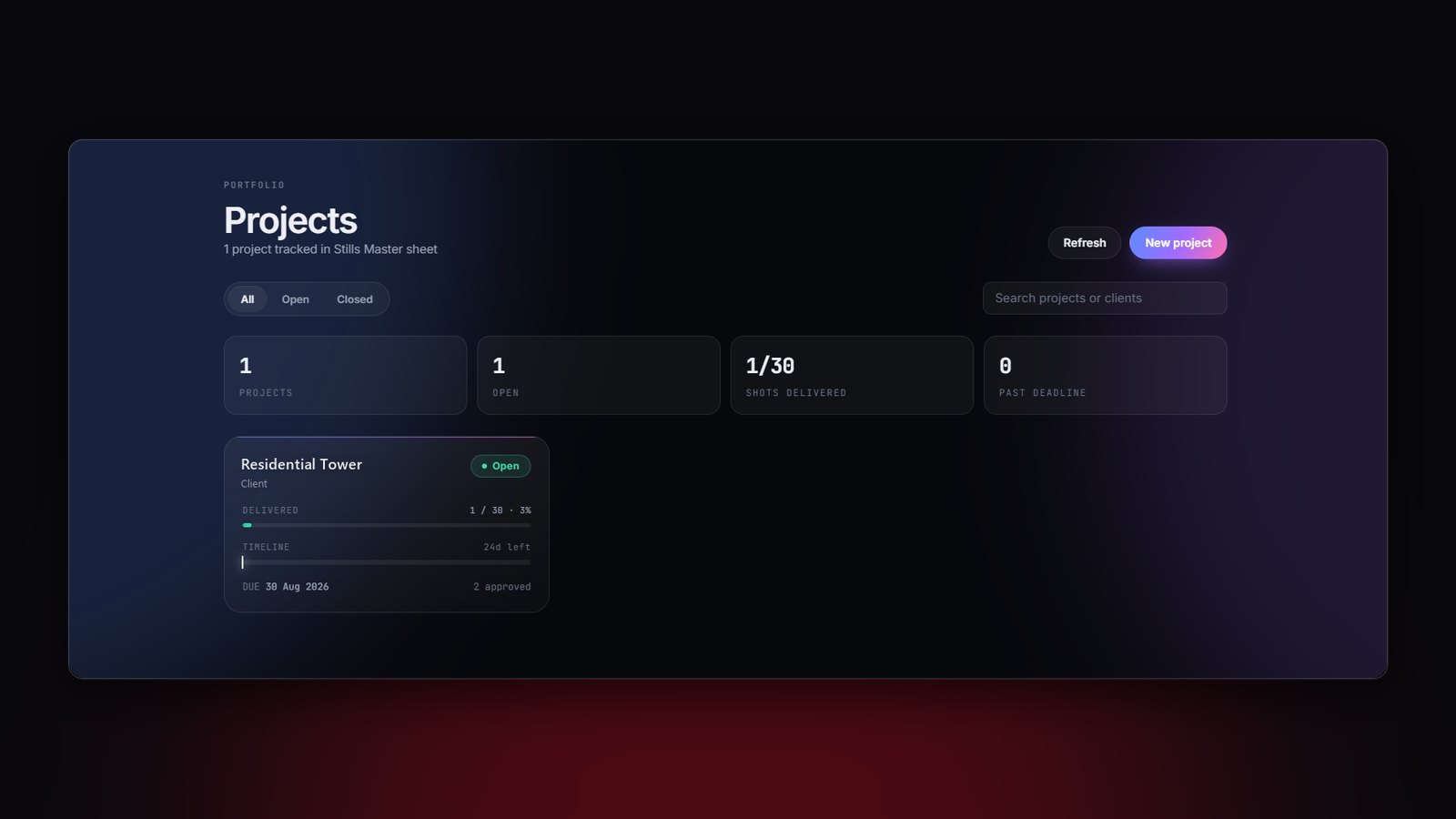

Web & Software
LaunchX Interactive
An interactive sales experience for real-estate launches: 360° exploration, live availability and a client portal, all in one link.
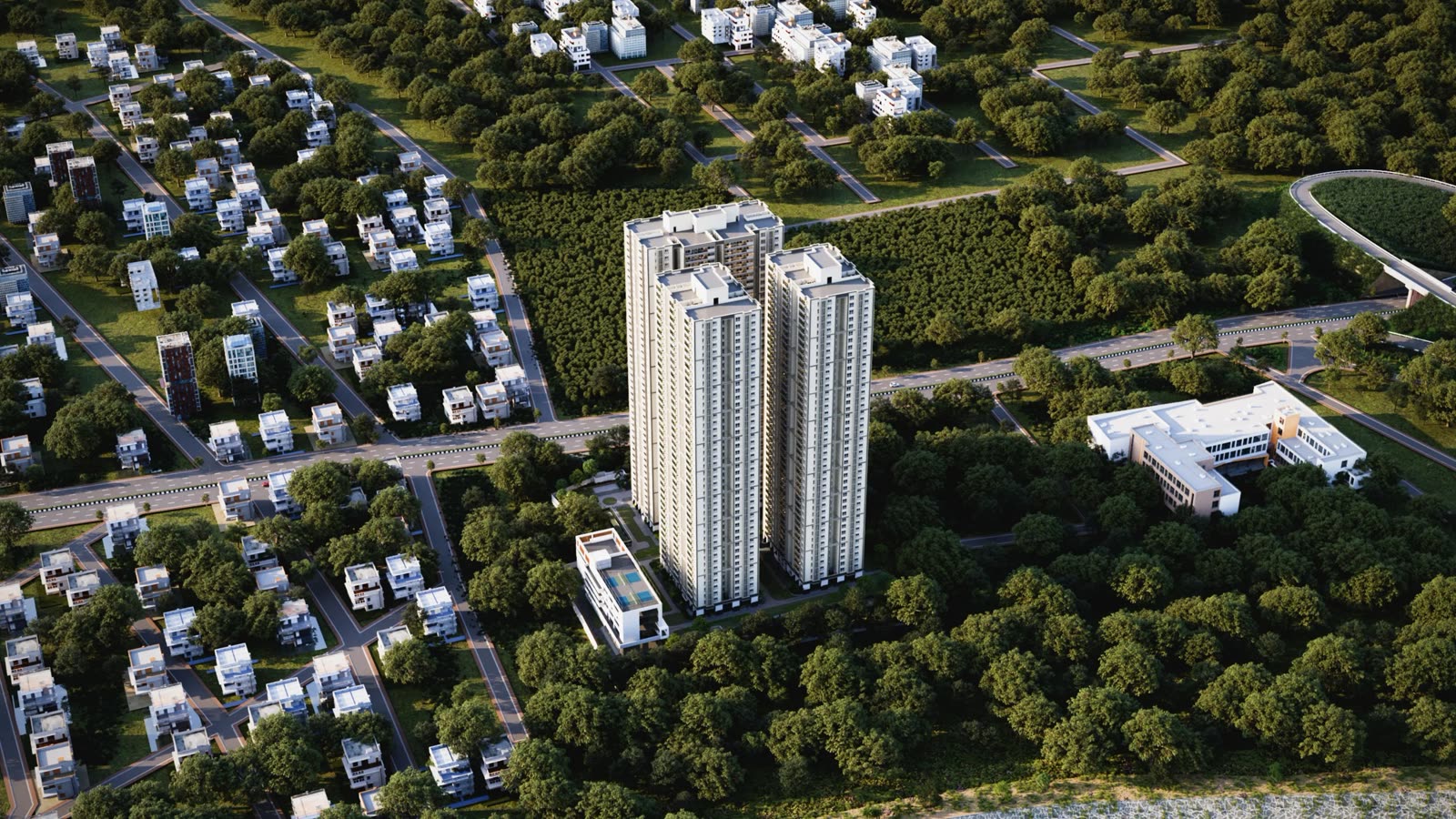
About this work
LaunchX Interactive puts a whole development in the buyer's hands, in one link that is always up to date. Buyers fly around the project in 360°, see what is nearby, walk through the amenities and pick an apartment with live availability and price. It runs on a phone, a laptop or a sales-office screen, and the developer's team updates availability from a private portal without waiting on anyone.
What it shows
- 360° aerial exploration with compass views and fly-through transitions
- Location map with distance rings, walk and drive times
- Guided amenity tours in full 360°
- Site plan from master plan down to the exact apartment
- Password-protected client portal: statuses and prices go live in about 20 seconds
- Works on phones, laptops, TVs and touch-screen kiosks, with nothing to install
Services
Inside the website
8 features, screen by screen
Keep scrolling for each screen and what it does, or open the live website and try it yourself.
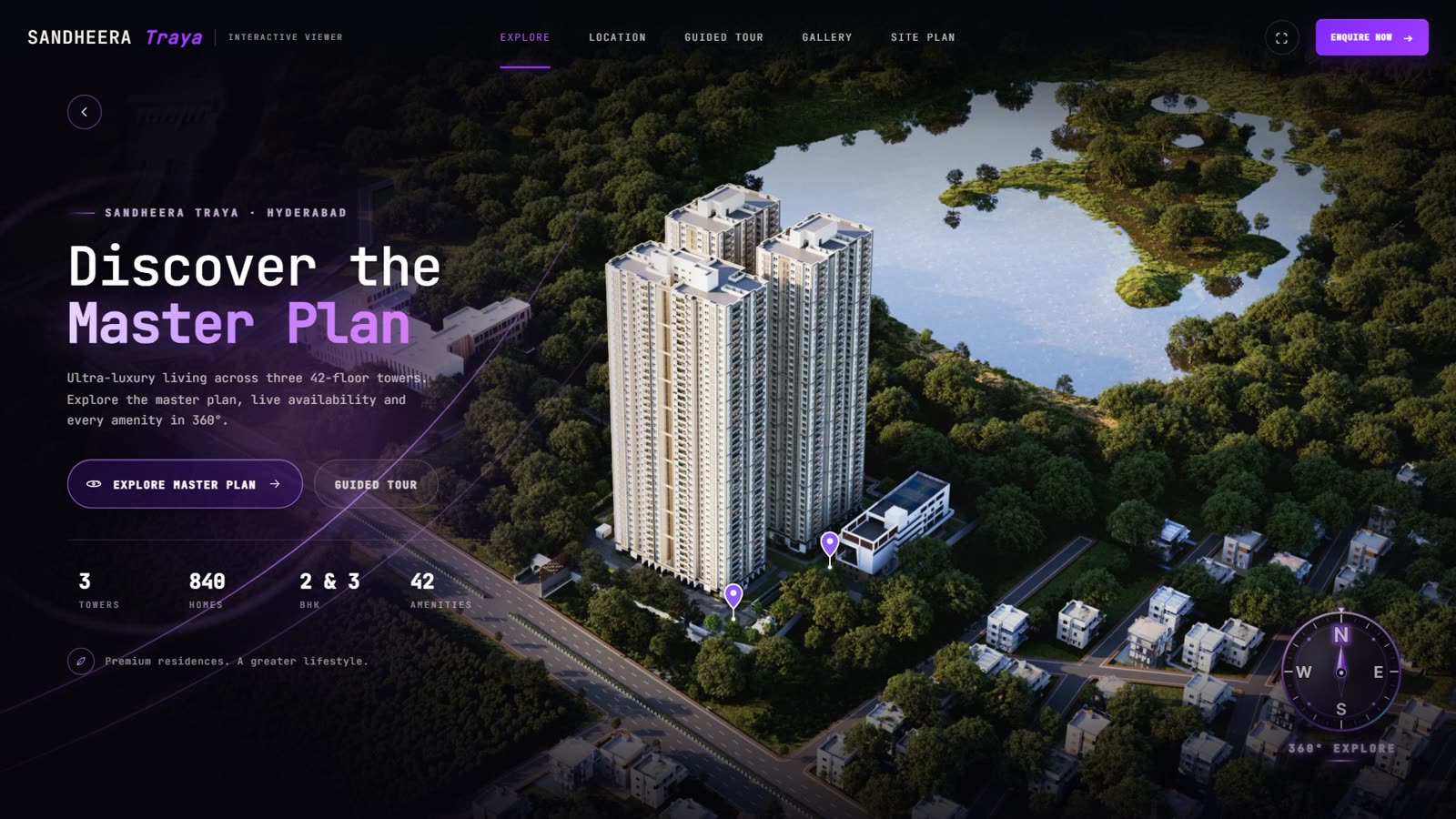
Explore
The opening screen: drag to orbit the whole development in 360°, with a compass and project facts.
- Drag or swipe to orbit the whole project
- North, East, South and West views, linked by fly-through transitions
- Pins on the towers and landmarks open detail cards
- An intro film and timelapse play when the screen is idle
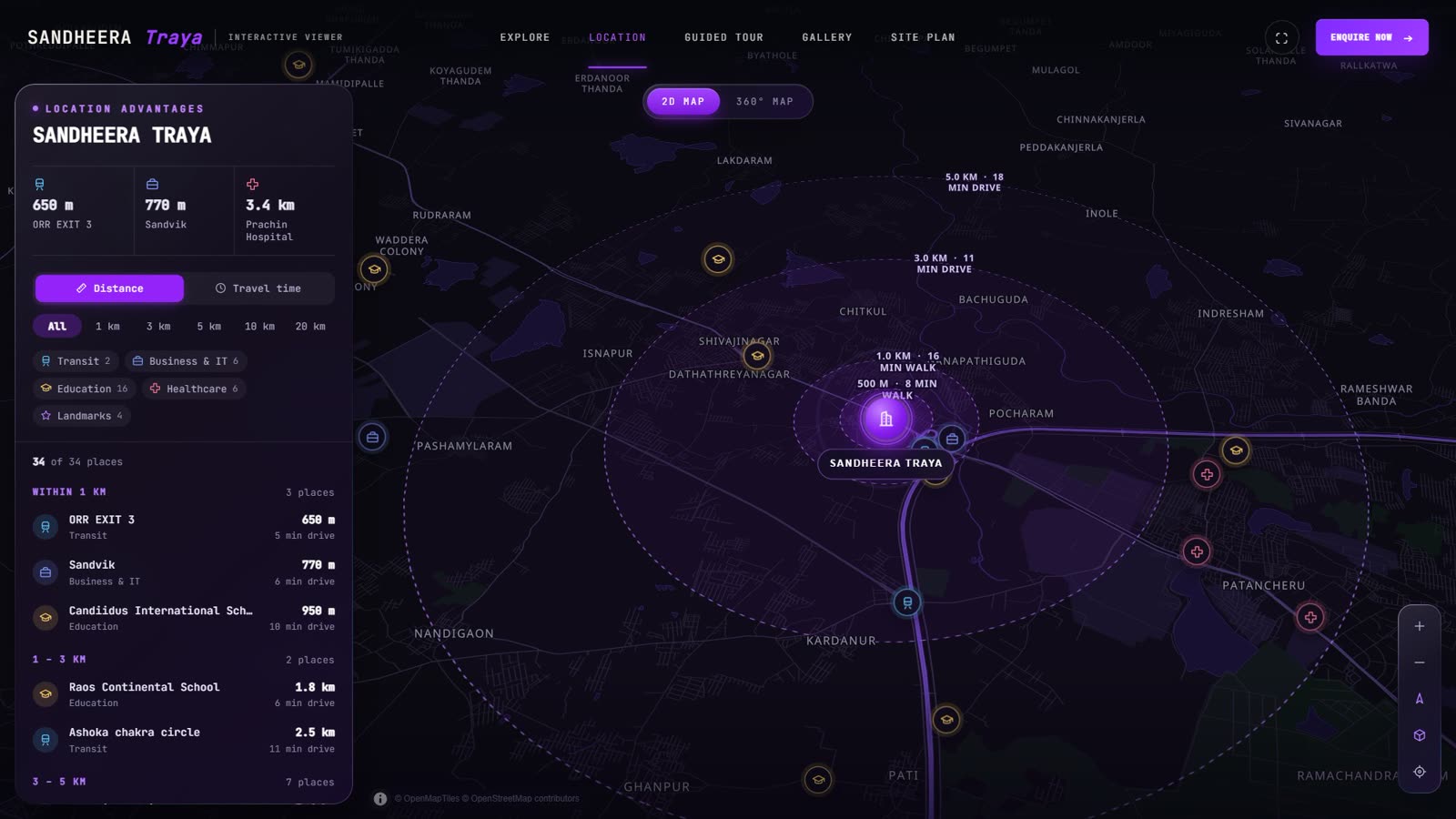
Location
A live map with distance rings, and schools, hospitals, IT parks and transit listed nearest first.
- 2D map and 360° map of the neighbourhood
- Distance rings at 1, 3, 5, 10 and 20 km, with walk and drive time
- Places by category: transit, business, education, healthcare, landmarks
Guided tour
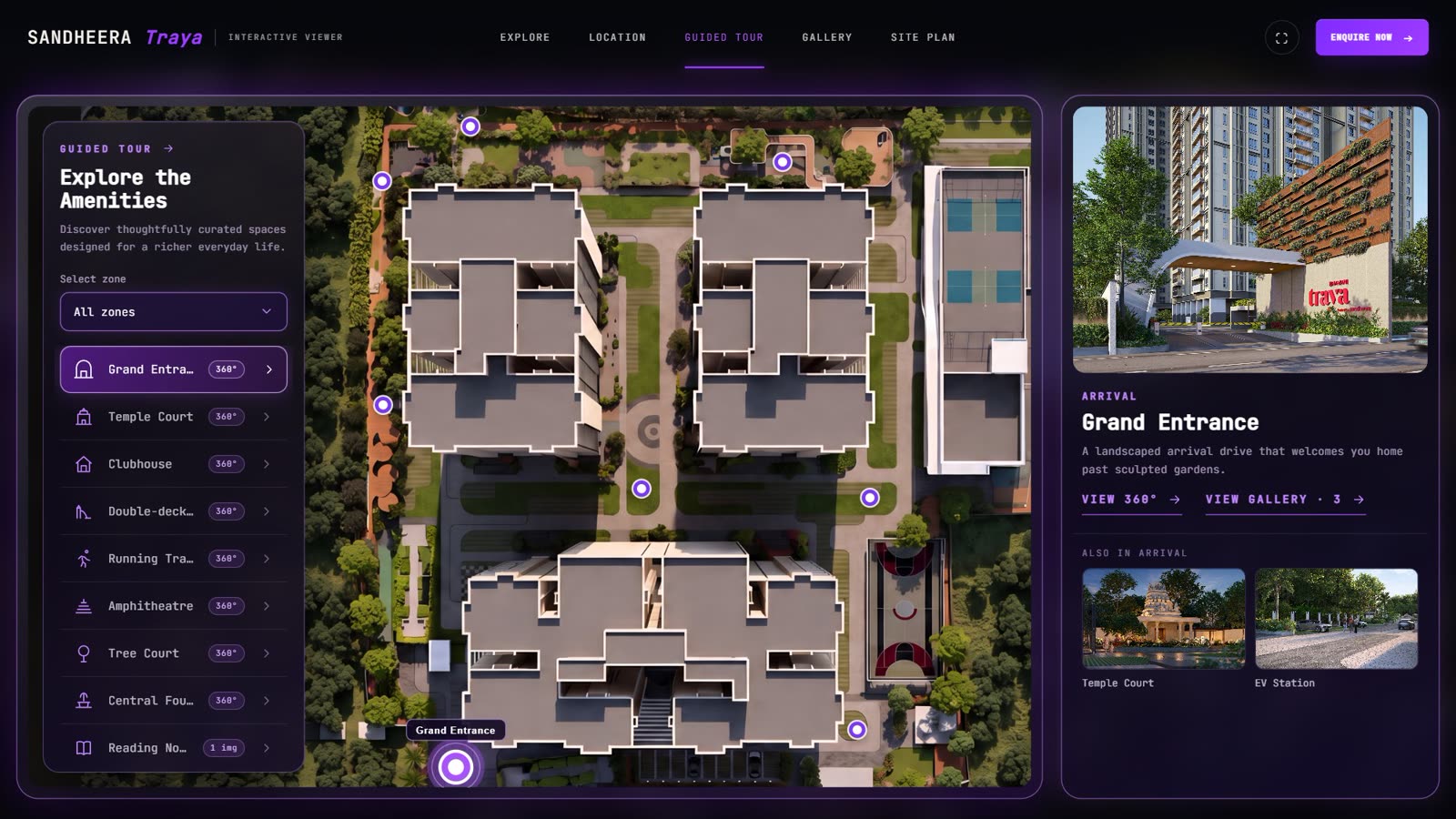
Amenities pinned on the master plan, grouped by zone, with instant previews.
- Zones for arrival, clubhouse, sports and gardens
- Hover for the render and a short description
- Other amenities in the same zone, one click away
Inside an amenity
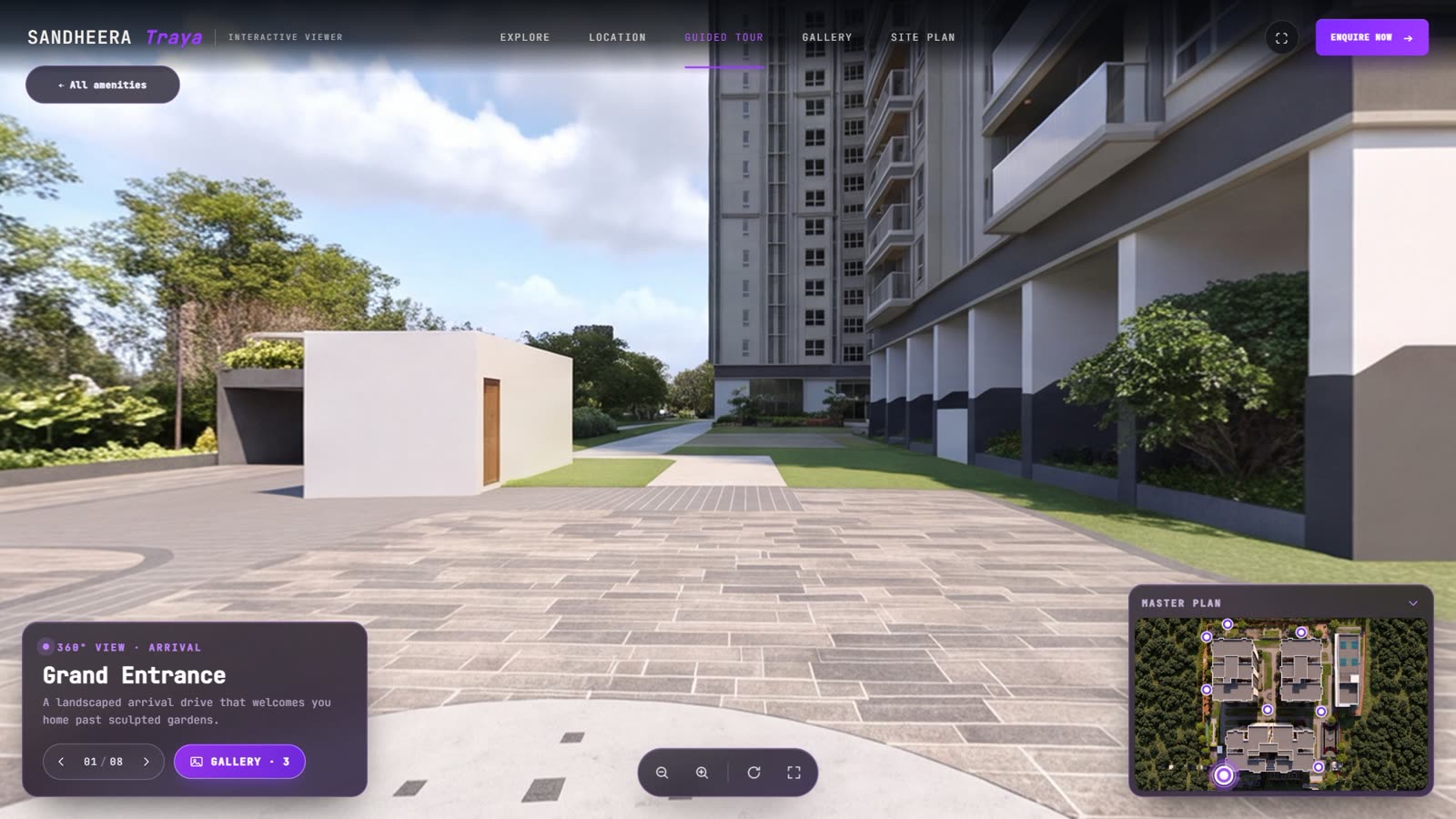
One click goes inside in full 360°, with a mini map showing where you are.
- Zoom, auto-rotate and full screen
- Step straight to the next amenity
- Open the amenity’s gallery images from the same screen
Gallery
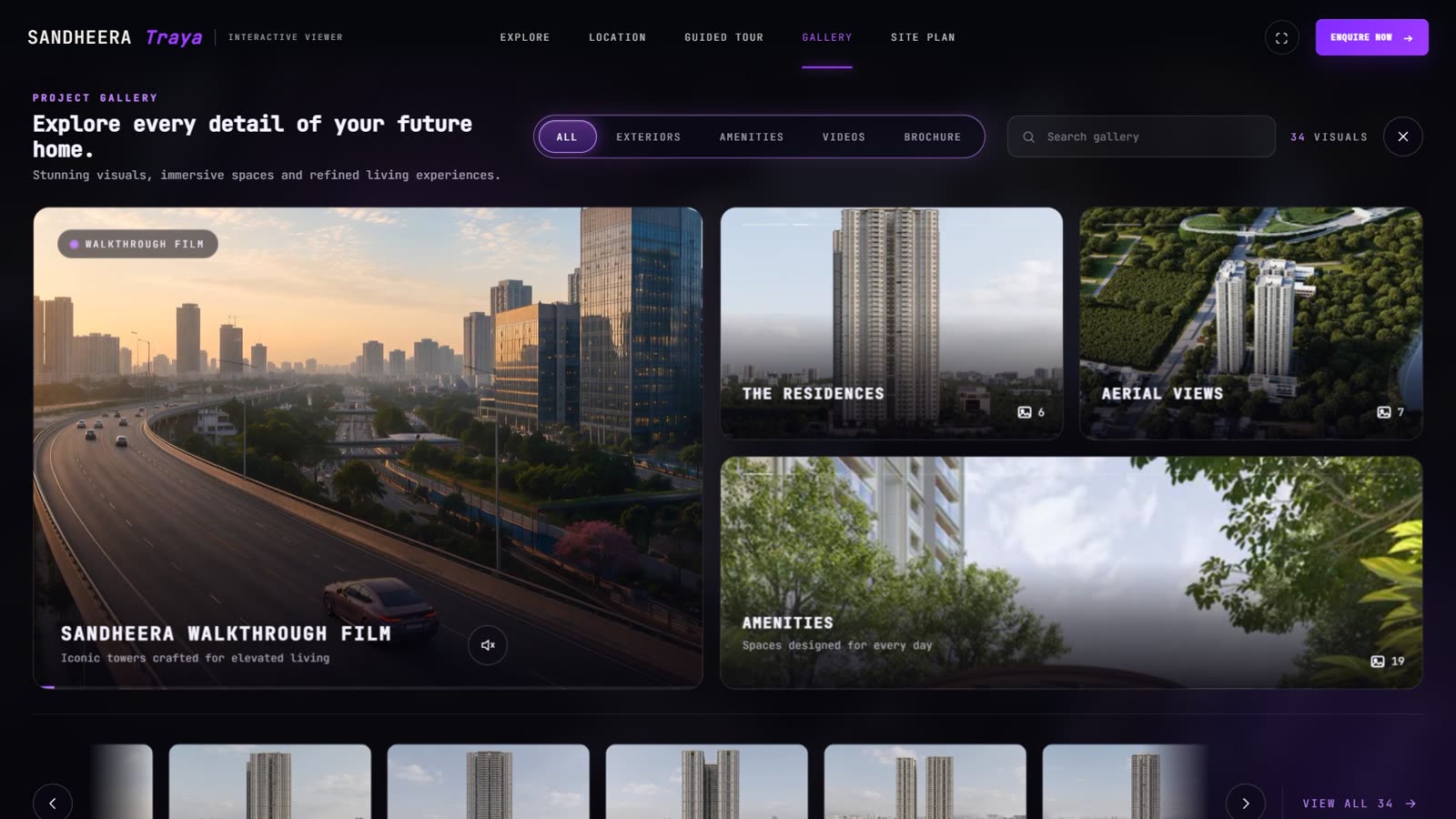
A walkthrough film, albums, filters and every render in one place.
- The walkthrough film plays as the hero
- Filters and search across exteriors, amenities, interiors and videos
- A full-screen viewer, with the brochure ready to open or download
Site plan
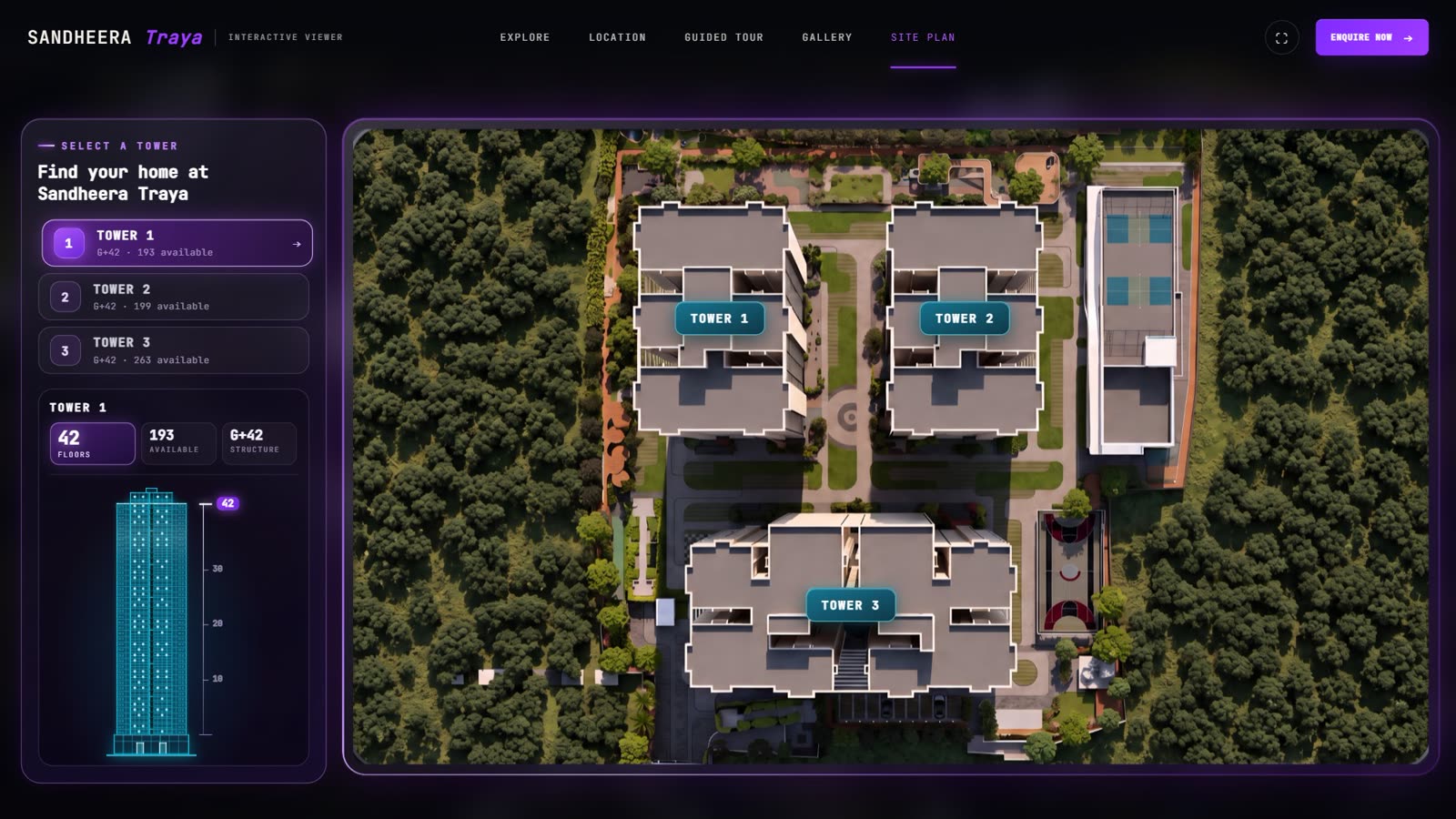
Choose a tower on the master plan and see how many homes are still available.
- Each tower shows its floors and available homes
- Front and back elevations, with every apartment coloured by status
- Available, On Hold and Sold, always up to date
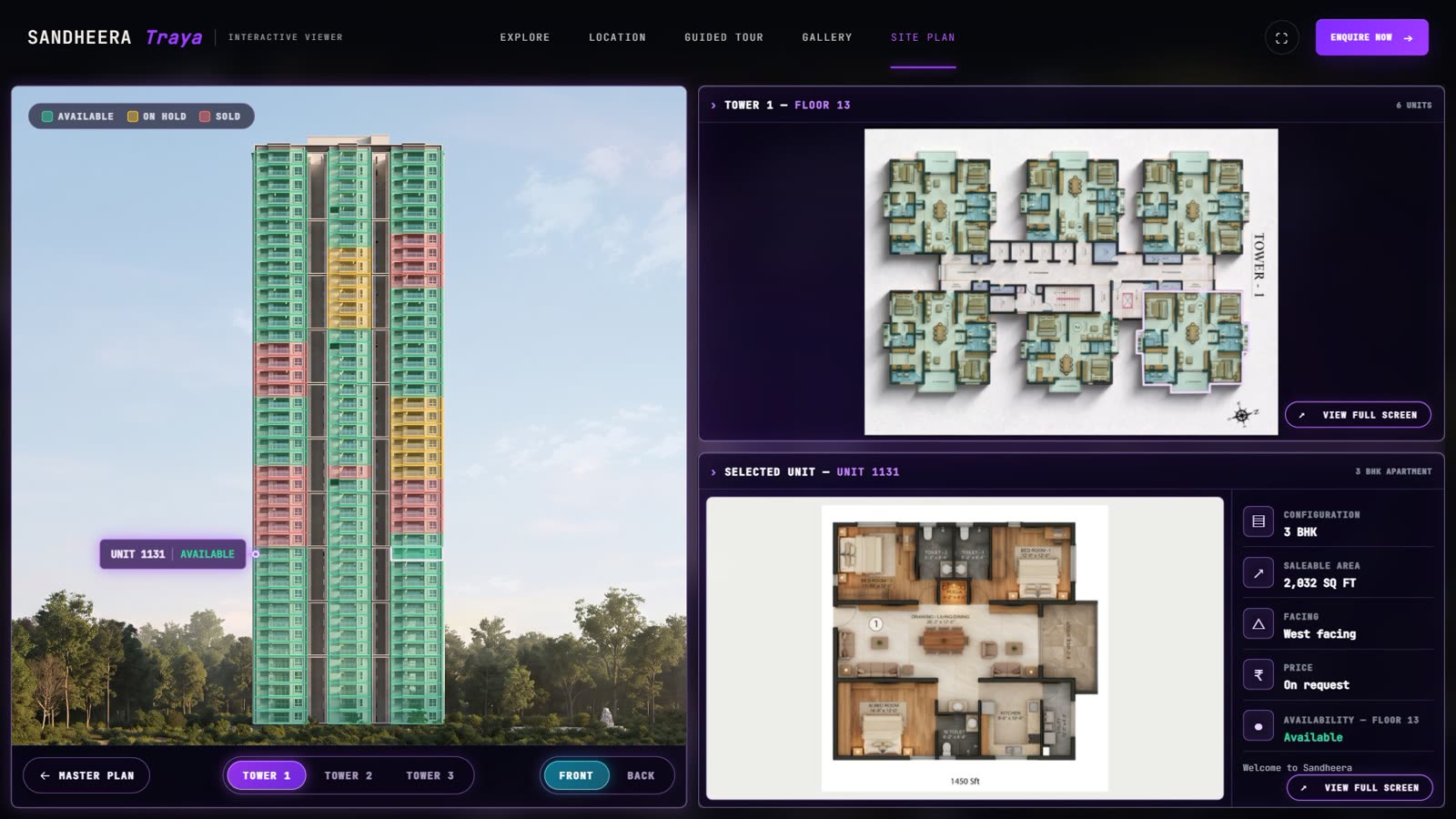
Choosing a home
Live status on every apartment, down to the unit plan, area, facing and price.
- Point at a flat and it lights up on the floor plan
- Unit plan, configuration, saleable area, facing and price
- Full-screen plans with zoom for a closer look
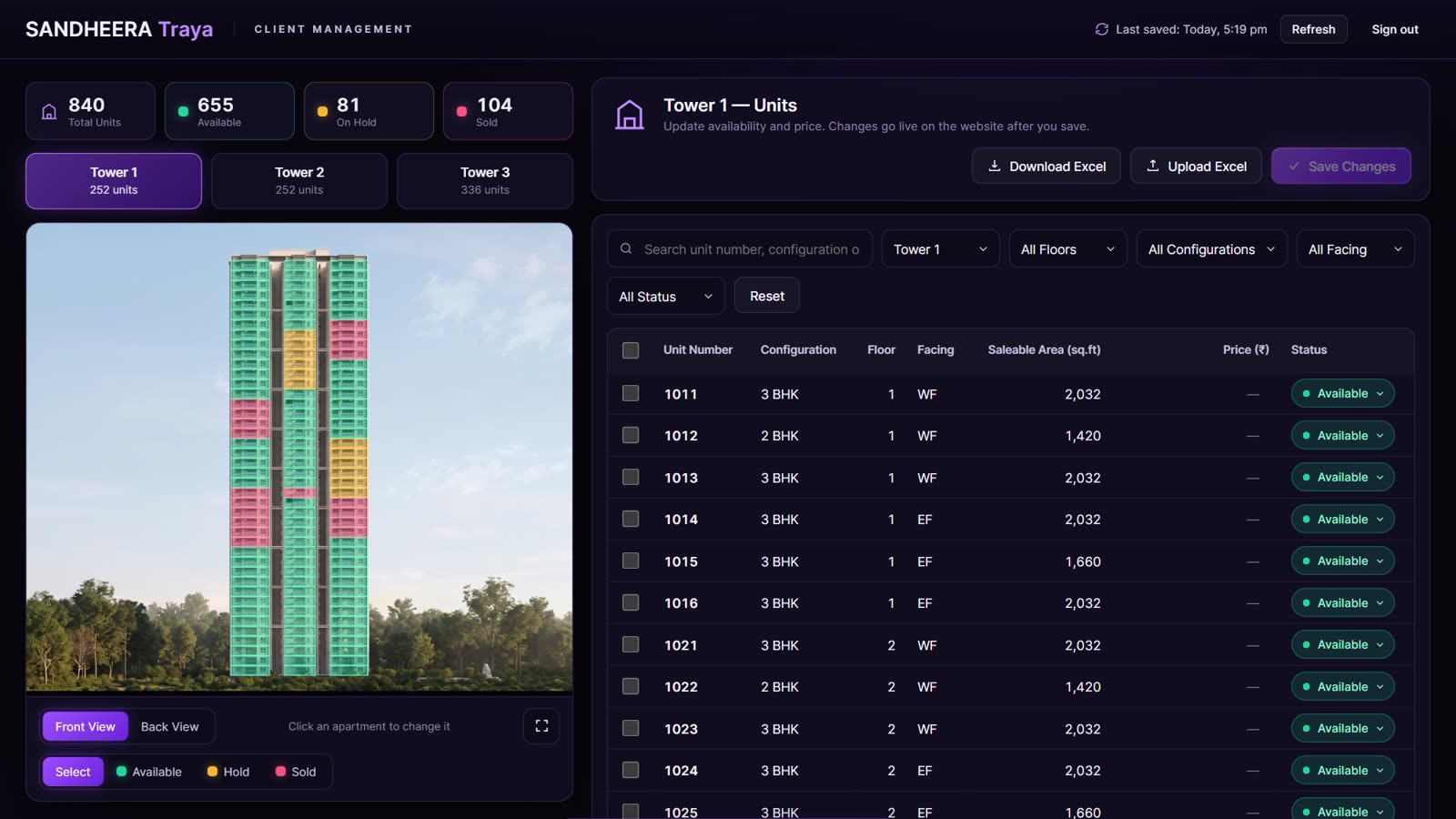
Client portal
The sales team updates statuses and prices itself, one unit at a time, in bulk or from Excel.
- Private link plus password
- Click the tower, or drag across floors to mark many at once
- Download or upload Excel to update every unit at once
- New statuses and prices go live in about 20 seconds
See it working for yourself.
Open live website