

Web & Software
LXPipeline
Lets several developers build one product safely: own copies, automatic merging, a shared test build and one-click deploys.
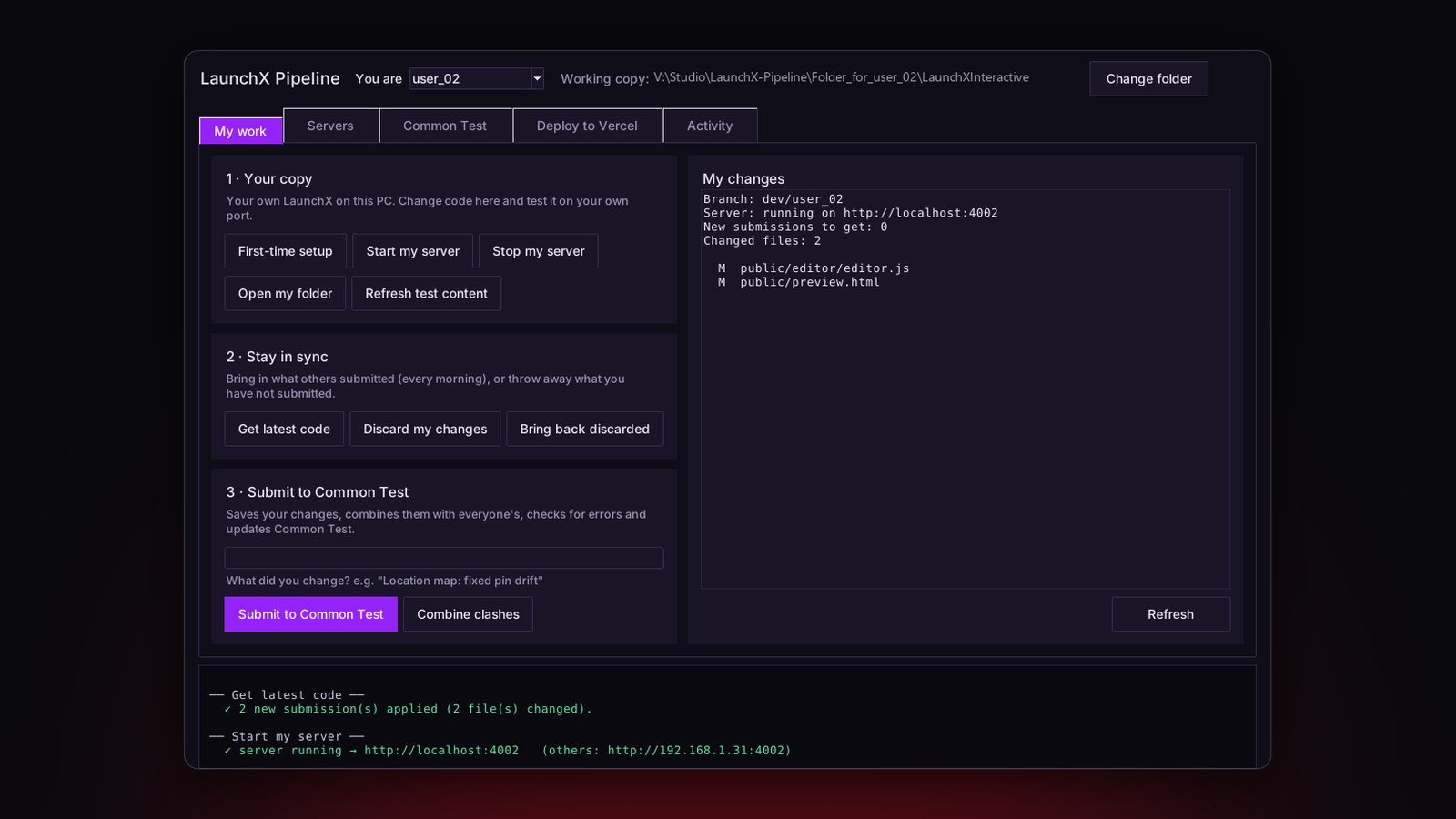
About this work
As LaunchX Interactive grew, building it stopped being a one-person job. Copying folders between PCs meant work silently disappeared, and deploying was a command-line task only one person knew. LXPipeline turns a simple picture, a folder per developer, one for testing and one for deployment, into a working system with a desktop app on top. The team gets the safety of Git without typing a single Git command.
What it shows
- Three stages: developer copy, shared test build, live site
- Line-level merging, with a guided choice when two people change the same lines
- Syntax checks run before any code reaches the shared build
- Code and content kept apart, so merges can never corrupt the database
- Every submission and deploy recorded with who, when and which version
- Built and hardened on real Windows PCs and a shared network drive
Services
Inside the tool
3 features, screen by screen
Keep scrolling for each screen and what it does.
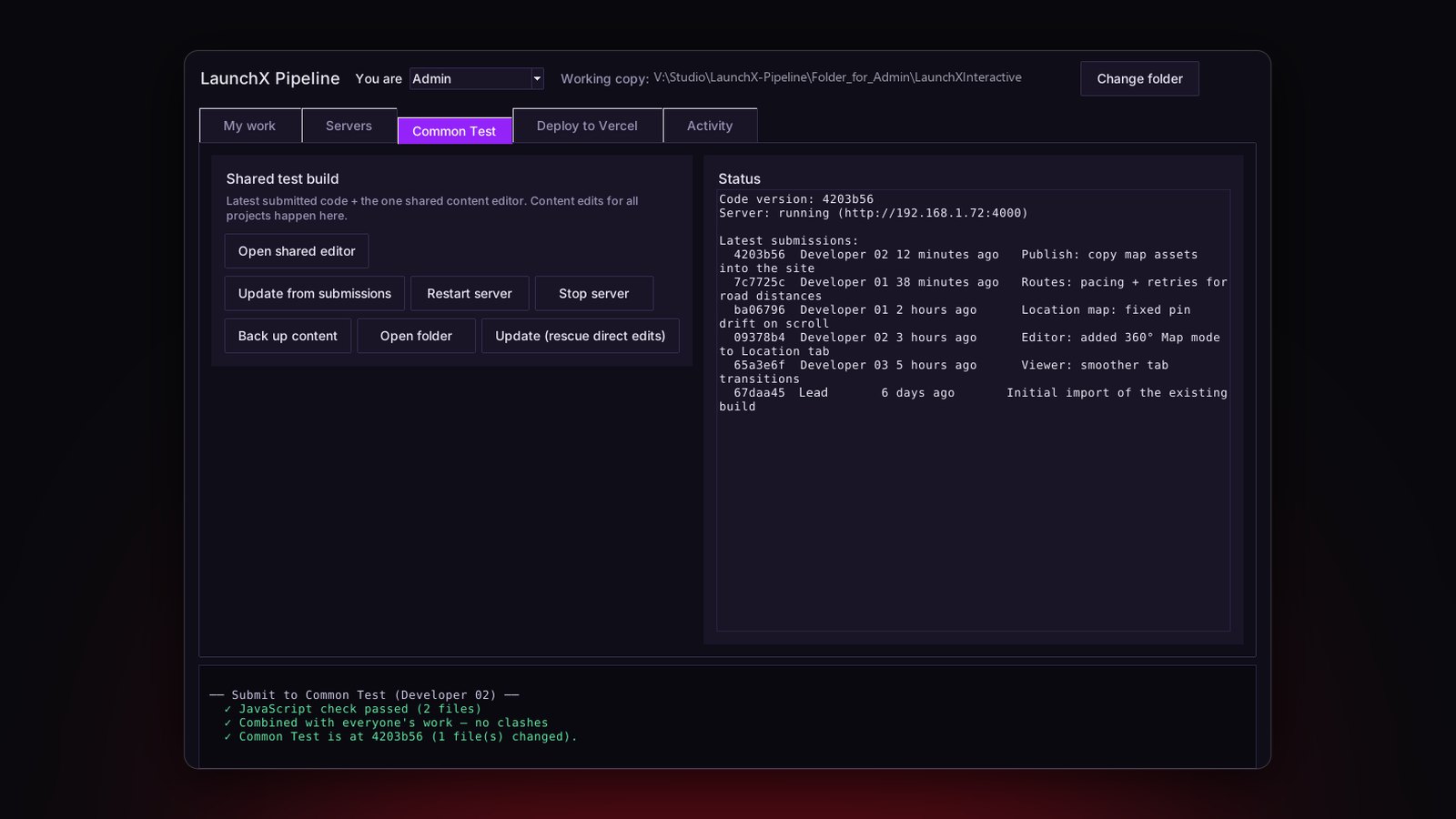
One shared build, always up to date
The team's meeting point: the latest submitted code running as the one shared editor, open from any PC in the office.
- Updates itself after every submission
- Says when a change needs a server restart
- One-click content backups, plus one before every deploy
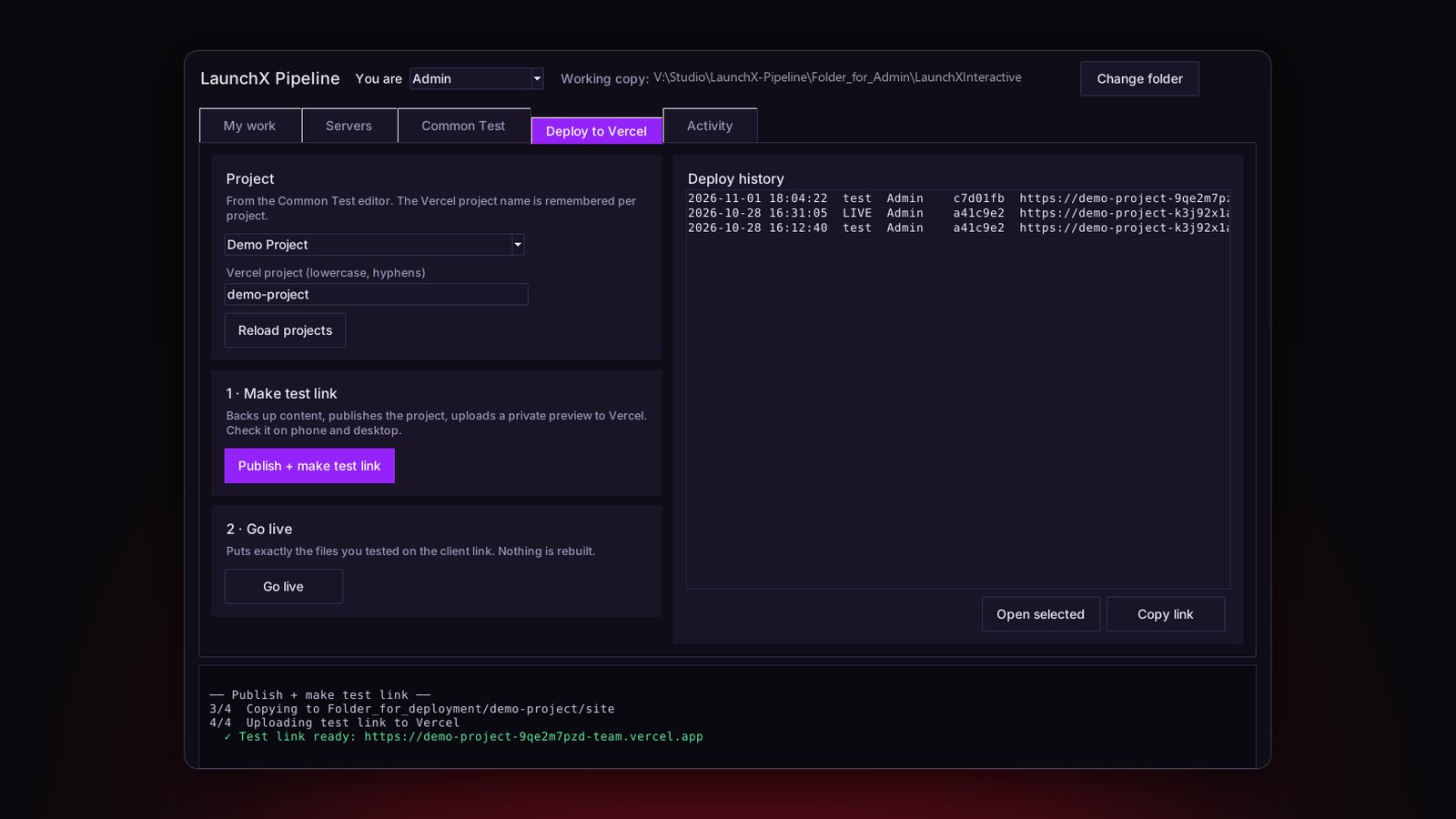
Test link first, then one click to live
Publishing a client site is two buttons with a safety check between them.
- Backs up the content, then uploads a private preview to check on phone and desktop
- Go live puts exactly the tested files on the client's address, with nothing rebuilt
- If a file changed after the test link, it refuses and asks for a new one
- Every deploy is logged with time, person, version and link
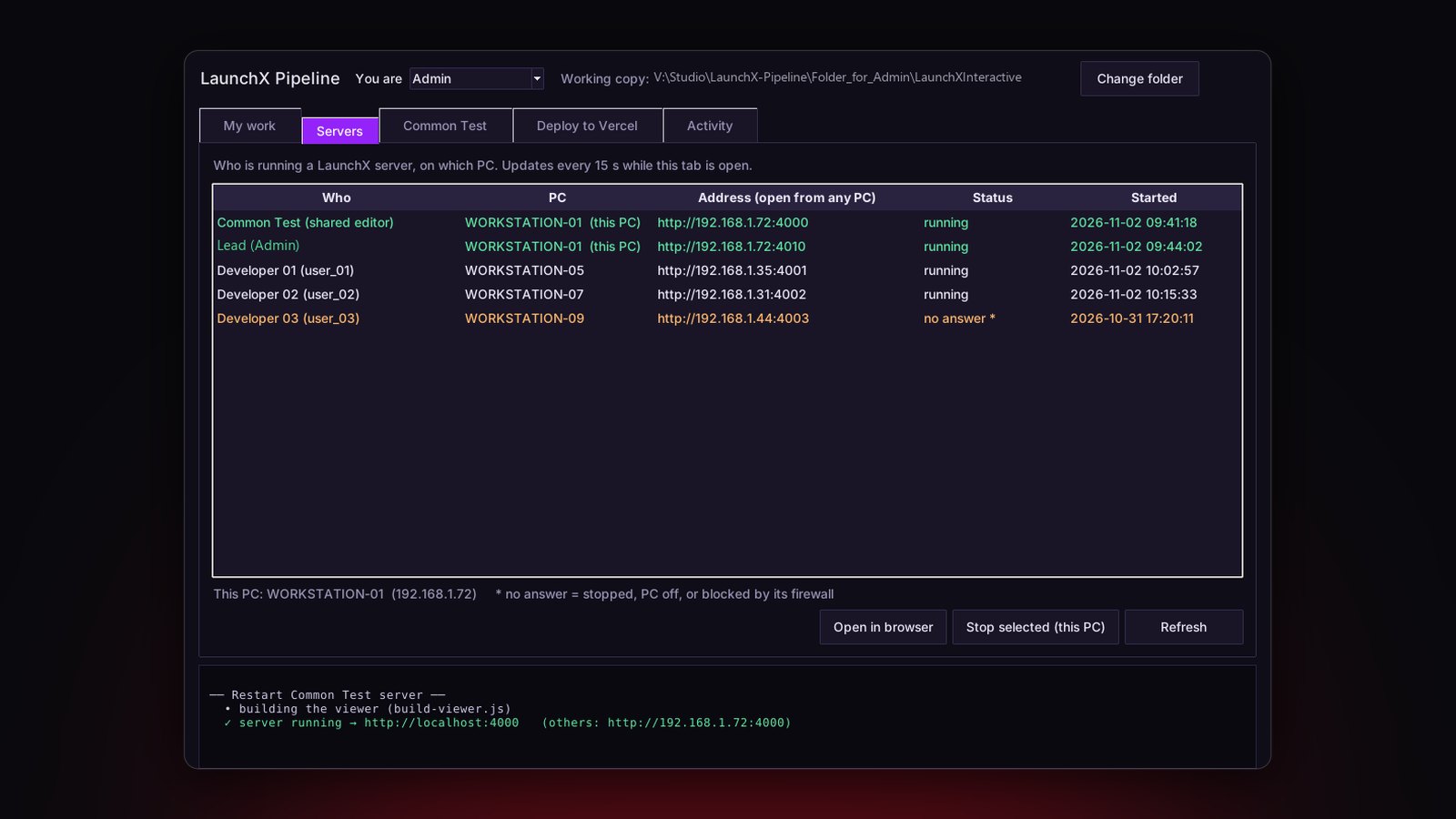
See every server on the network
With several copies of the app running around the office, the Servers tab answers whose server is whose.
- Owner, PC and address for each server, refreshed every 15 seconds
- Open a colleague's test server in one click to review a change
- Stopped servers disappear on their own